Last Updated: November 14, 2026
Quick Summary
Shorts ad creative is vertical 9:16 video built for YouTube's full-screen feed, and it works for ecommerce because it mirrors how people already shop on a phone. Shoot for vertical from the start, keep the subject centred with the top and bottom clear, and make every ad work with sound off.
- Export in 9:16 vertical and keep the top and bottom of the frame clear for interface overlays.
- Put the core message in on-screen text and keep captions above the bottom fifth of the frame.
- You have roughly one to two seconds to earn the next five with your hook.
- A 20-second Shorts ad needs a hook, one proof point, and one call to action.
- Run each test variation for at least 7 full days and judge winners on contribution margin per order.
Table of Contents
- Why Shorts Ad Creative Fits Ecommerce Buying Behaviour
- The Specs That Decide Whether Your Shorts Ad Runs
- Hooks That Survive a Fast-Scrolling Feed
- A Repeatable Shorts Ad Creative Workflow for Small Teams
- Product Demonstrations and Creator-Style Video That Convert
- Creative Testing, Localisation and the Numbers That Matter
- Book a Free Audit of Your Shorts Ad Creative
- Frequently Asked Questions
Why Shorts Ad Creative Fits Ecommerce Buying Behaviour
Shorts ad creative is vertical, short-form video built for YouTube's full-screen feed, and it works for ecommerce because it mirrors how people already shop on a phone. A viewer scrolls, stops for two seconds, and decides. The ad that looks like a person showing a product tends to outperform the ad that looks like a brand announcing one.
Three things make the format fit buying behaviour:
- It is social-first. Vertical video on a phone feels native, not interruptive.
- It earns the scroll stop. The first frame does the work a thumbnail used to do.
- It feeds the funnel entry point. Shorts builds demand before direct response asks for the sale.
The catch: most brands treat Shorts like a cropped TV spot. That is where performance dies.
The Specs That Decide Whether Your Shorts Ad Runs
Get the technical layer right first, because a great video in the wrong format simply does not serve. The specs are not creative choices, they are the floor.
Aspect Ratio, Length and Safe Zones
Shoot and export in 9:16 vertical. Horizontal footage cropped to vertical loses the edges of the frame, which is usually where your product sits. Keep the subject centred, and leave the top and bottom of the frame clear: the interface overlays sit there and will cover text or a face.
Length depends on the job:
- Hook test: 6 to 10 seconds
- Product demonstration: 15 to 25 seconds
- Creator-style story: 30 to 45 seconds
Check current YouTube ad format specifications before you export, since Google updates placement requirements periodically.
Sound-Off Viewing and Captions
Assume the viewer has no sound. Many people scroll with audio off in public or at work, so every Shorts ad must work silently.
- Put the core message in on-screen text
- Keep captions on screen for the full line, not a flash
- Design the first frame to read without audio
A common mistake is burning in captions that sit under the interface overlay. Move them up. Watch out: text placed in the bottom fifth of the frame is often hidden by the player controls, and the viewer never sees your call to action.
Recommended Shorts ad lengths by purpose
Hooks That Survive a Fast-Scrolling Feed
The opening seconds decide everything.
Hooks that hold up in practice:
- The problem shot. Show the frustration first, product second.
- The bold claim. "This is why your jacket leaks." Then prove it.
- The visual surprise. A texture, a pour, a transformation.
Hooks that fail: logo intros, slow fades, and "Hi, we're a brand that..." Openers like that tell the viewer this is an ad, and the thumb moves.
One insider note: the hook is not just the first frame. It is the first frame plus the first spoken line plus the first on-screen text, all saying the same thing.
A Repeatable Shorts Ad Creative Workflow for Small Teams
A repeatable workflow beats a one-off viral hit, because it lets a small team produce creative variation every week without adding headcount.
Step 1: Write the brief and script before you book a shoot
Write the script first, every time. A 20-second Shorts ad needs a hook, one proof point, and one call to action. Nothing else. The brief should name the product, the audience, the single claim being proven, and the landing page the ad feeds.
Use this template:
Hook (0-2s): [Problem or bold claim] Proof (2-12s): [Show the product solving it] Payoff (12-18s): [Result or reaction] CTA (18-20s): [One clear next step]
If the script does not work on paper, it will not work on camera.
Step 2: Build a shot list by product category
A shot list turns the script into footage you can actually capture on a phone. Three angles per product is a good baseline: a wide of the scene, a close-up of the detail, and a hand-interaction shot. Adapt the list to the category:
- Apparel and footwear: fit on-body, fabric close-up, movement shot, size-comparison shot.
- Skincare and beauty: texture pour or swatch, application on skin, before-and-after in the same frame, packaging detail.
- Home and kitchen: problem shot (clutter, spill), product in use, result shot, storage or cleanup shot.
Shoot more coverage than you think you need. Vertical framing means you cannot recover edges in the edit.
Step 3: Shoot for vertical, not cropped horizontal
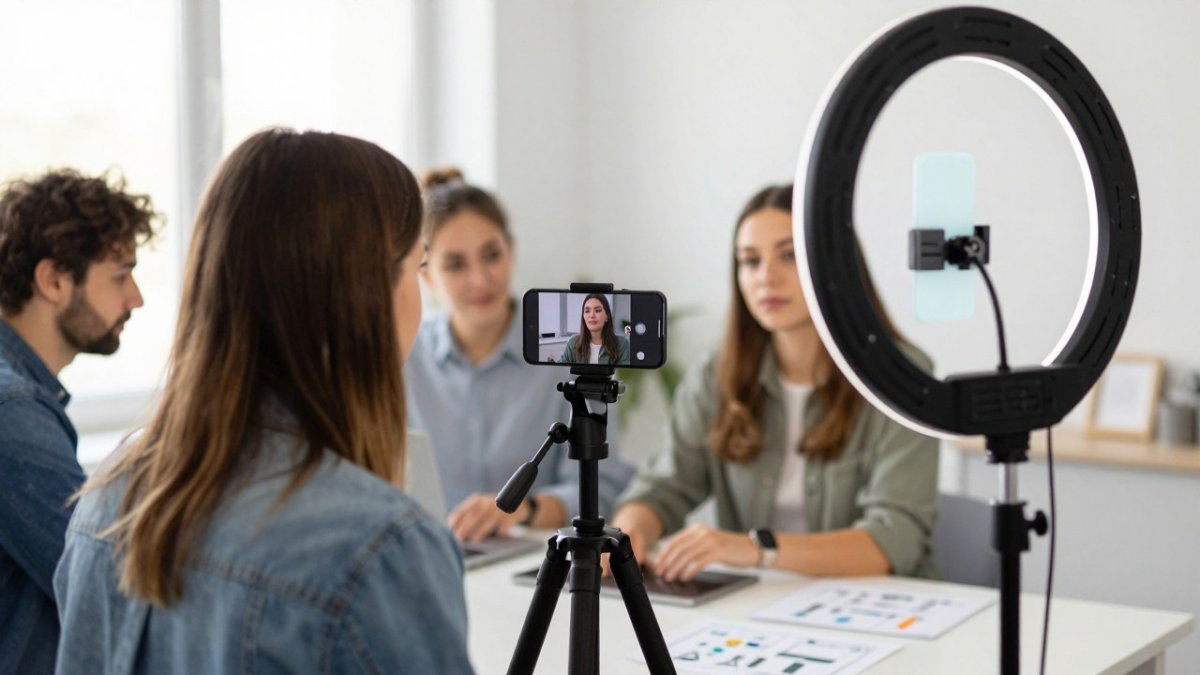
Frame for 9:16 from the start. Hold the phone vertically, get close to the product, and keep the subject centred with the top and bottom of the frame clear for interface overlays. Natural light near a window is usually enough; a ring light helps for close-ups. Shoot each script beat as a separate clip so the edit has clean cut points.
Step 4: Edit for sound-off and get approvals in one pass
Edit with captions on, sound off, and the interface overlay in mind. Keep captions above the bottom fifth of the frame. Build a single approval pass: one reviewer signs off on hook, captions, claim accuracy, and CTA placement together, so the ad does not bounce back and forth between stakeholders.
Step 5: Publish on a refresh cadence
Set a refresh rhythm: plan new creative variation before the current set goes flat. If you want to spot the warning signs early, read our breakdown of ad creative fatigue signs. Scaling output past a single ad is its own discipline, covered in how to scale creative production.
Watch out: publishing new variations without retiring the fatigued ones inflates your ad count and splits budget across too many concepts, which makes it harder to read results.
Product Demonstrations and Creator-Style Video That Convert
Product demonstration and creator-style video are the two formats that carry most ecommerce Shorts performance, and they work for different reasons. A demonstration shows the product doing its job. Creator-style video shows a person using it the way a customer would.
What separates the two in practice:
- Demonstration: best for solving a visible problem, like a stain, a fit, or a broken routine
- Creator-style: best for trust, reviews, and testimonials
- User-generated content: best for authenticity and lower production cost
The mistake most brands make is choosing one and abandoning the other. Running both formats lets demonstrations answer "does it work" while creator-style content answers "should I trust this."
For a deeper look at which format actually performs, our team compares UGC versus studio creative for Meta ads, and you can watch real examples of the ad creative work we produce.
Creative Testing, Localisation and the Numbers That Matter
Creative testing is the process of running controlled variations of a Shorts ad to find what moves sales, not just clicks. Most brands test too many variables at once and learn nothing. The fix is a disciplined test design with a decision threshold set before launch.
Isolate one variable per test
Change one thing at a time: the hook, the length, the call to action, or the localised version. If you change the hook and the length together, a win tells you nothing about which change caused it. A common pattern is to run hook tests first, because the hook is the cheapest variable to produce and the one that most affects watch-through.
Set test duration and decision thresholds before you launch
A practical structure for a small ecommerce team:
- Test window: run each variation for at least 7 full days to clear weekday and weekend behaviour differences. Shorter windows produce noise, especially on smaller budgets.
- Minimum data: do not call a winner on fewer than a few thousand impressions per variation. If your budget cannot reach that in 7 days, extend the window rather than shortening it.
- Primary signal: conversion rate and contribution margin per order, not click-through rate alone. A hook can win clicks and lose buyers.
Connect Shorts results to unit economics
ROAS alone hides the cost side. Tie each test back to contribution margin, customer acquisition cost, and conversion rate on the landing page the Shorts ad feeds. A creative that lowers CAC while holding margin is a scale candidate even if its ROAS looks unremarkable. A creative that lifts ROAS by attracting discount-seekers can quietly erode margin. Set your decision threshold on contribution margin per order, and use ROAS as a supporting signal.
Localisation for Slovenian and cross-border audiences
For stores selling in Slovenia and across Europe, language and cultural reference points change how a Shorts ad lands. Test three variants where relevant:
- Slovenian-language creative for domestic audiences, with Slovenian on-screen text and captions.
- English-language creative for cross-border and expat audiences, or where the product category is habitually searched in English.
- Subtitled variants where the visual carries the message and the language is secondary.
Run the localised version against the original before you scale spend into a new market. Currency, sizing conventions, and local proof points (shipping expectations, return norms) belong in the creative, not just on the landing page.
| Test Variable | What to Change | Primary Decision Signal |
|---|---|---|
| Hook | First 2 seconds | Conversion rate and contribution margin |
| Length | 15s vs 30s | Completion rate plus margin per order |
| Call to action | Wording and placement | Conversion rate |
| Localisation | Language, currency, proof points | Market-level sales and CAC |
Watch out: judging a localisation test on click-through alone will push you toward the most attention-grabbing language rather than the version that sells in that market. Our guide to measuring creative testing's impact on sales walks through the method in more detail.
Book a Free Audit of Your Shorts Ad Creative
Most Shorts ad creative underperforms for a fixable reason: it was built for the wrong screen, or it was never tested properly. Both are solvable.
Conversion Design runs a free audit of your Shorts ad creative.
If you are in Ljubljana or anywhere in the region and want a straight read on what is holding your creative back, get in touch.
Frequently Asked Questions
How long should a YouTube Shorts ad be for an ecommerce product?
Most ecommerce Shorts ads work best between 15 and 30 seconds, with the hook in the first two seconds and the product payoff visible before the halfway mark. Shorter cuts of 6 to 10 seconds suit simple products and retargeting, while 30 to 60 seconds gives room for demonstrations and testimonials. Test two lengths of the same concept rather than guessing, and check whether viewers drop off before your call to action appears.
Do YouTube Shorts ads work for ecommerce brands?
They can, when the creative is built for the format rather than repurposed from horizontal video. Shorts ads put your product in front of people already scrolling short-form video, so a clear hook, a visible product demonstration and on-screen captions do most of the work. Judge results on return on ad spend and conversion tracking, not views alone, and give each concept enough spend and time to produce a readable signal before you scale or cut it.
Can user-generated content work in YouTube Shorts ads?
Yes. Creator-style video and testimonials often outperform polished studio spots in Shorts because they look native to the feed. Film real customers or creators holding the product, speaking to camera in the first two seconds, and showing a specific use case. Keep captions on screen for sound-off viewing, and ask for vertical footage so nothing is cropped. Rotate several creator variations to avoid creative fatigue.
How do you test creative for YouTube Shorts ads?
Test one variable at a time: the hook, the product demonstration or the call to action. Run each variation with the same audience targeting and budget, then compare return on ad spend, click-through rate and conversion tracking after enough impressions to be meaningful. Keep winners, cut losers, and refresh creative on a schedule so fatigue does not erode campaign performance. Document what changed so results are repeatable.